Google vs ChatGPT Search: What Changes for Your Site
Google sends people to your site; ChatGPT often answers the question itself. Here is what that means for your small business website and what to do about it.

Google shows a list of pages and lets people choose; ChatGPT search usually writes one answer and mentions a few sources. For your business, that means Google rewards pages that rank well, while ChatGPT rewards pages that are clear, trustworthy and easy to quote. The good news: most of the work overlaps, so you do not need two separate strategies.
How Google and ChatGPT search work differently
Google has spent decades building an index of the web. When someone searches, it ranks pages and shows a results page: links, maps, ads, and often a summary at the top. The visitor then clicks through to a site and decides for themselves.
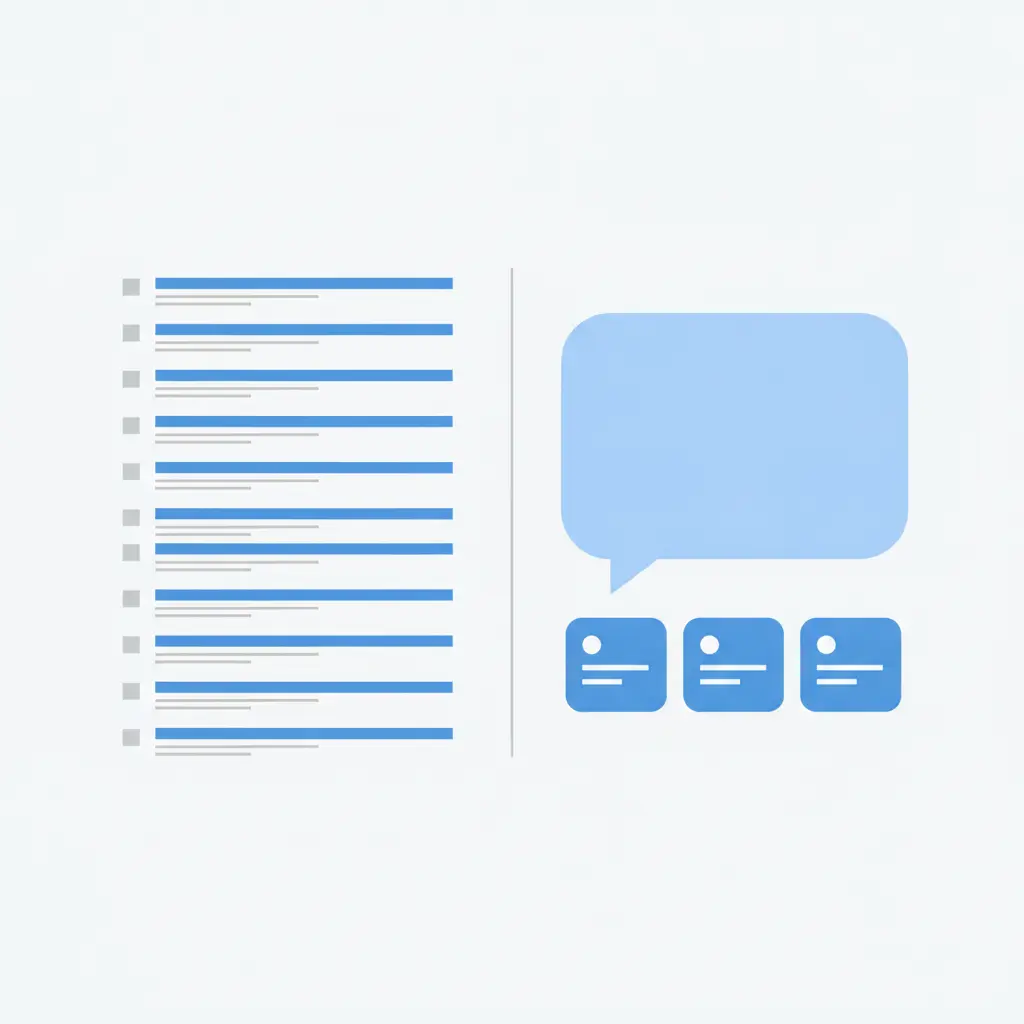
ChatGPT search works more like a conversation. A person asks a question in full sentences, and the assistant pulls together an answer, often citing a handful of sources. The visitor may never see a list of ten links. They get one response and, at best, a few names or links inside it.
The practical difference is simple:
- Google: you compete to be one of many clickable results.
- ChatGPT: you compete to be one of the few sources used in the answer, or one of the few businesses named.
What stays the same for your website
Many owners worry they have to start from scratch. You do not. Both systems need to understand what your site is about, and both prefer sites that look reliable. These basics help in either place:
- Clear page titles and descriptions that say what each page is about in plain words.
- Helpful, specific content that answers real customer questions, not vague filler.
- Fast, mobile-friendly pages that work without fuss.
- Accurate business details such as your name, services, location and contact information, consistent everywhere.
- Descriptive image text so images and products are understood, not just seen.
If you want a refresher on the fundamentals, our SEO how-to guides cover them step by step.
What changes when the answer comes from ChatGPT
Here is where the two approaches begin to pull apart.
Being quotable matters more
An assistant needs to lift a clear statement from your page. Pages that open with a direct answer, then explain, are easier to use than pages that circle around the point. Write short paragraphs, use headings that match real questions, and put the answer first.
Clicks are less guaranteed
With Google you can measure rankings and clicks fairly directly. With an assistant, someone may hear your business name and search for you later, or go straight to your site. That makes your brand name, and how consistently it appears across the web, more important than any single keyword.
Structure helps machines read you
Assistants do better with sites that are tidy and well labelled. Clean headings, simple page layouts and structured data (a hidden label that tells machines what a page contains) make your content easier to understand. We explain this in Making Your Website Easy for AI Assistants to Read.
Trust signals carry weight
Assistants tend to favour businesses that are clearly described and mentioned in more than one place. Real reviews, a clear About page, consistent listings and genuine expertise all help. No one outside the companies knows the exact formula, so treat this as sensible guidance rather than a guarantee.
A simple plan to show up in both
You can do this in an afternoon a week. Work through these steps in order.
- Fix your basics first. Make sure every important page has a clear title, a short description and descriptive image text.
- Write down your customers' real questions. Think of what people ask on the phone or in email: price ranges, how long something takes, who you serve, where you work.
- Answer each question on its own page or section. Start with a one or two sentence answer, then add detail.
- Describe your business clearly. Your About and service pages should say plainly what you do, for whom and where.
- Keep details consistent. Use the same business name, address and service wording on your site and any listings.
- Publish regularly. Fresh, useful articles give both Google and assistants more to work with.
- Test what assistants say about you. Ask ChatGPT the questions a customer would ask and see whether you appear.
For the assistant side in more depth, read How to Get Recommended by ChatGPT for Your Business. You can also use the free AI visibility checker to see whether AI recommends your business today.
WordPress and WooCommerce owners: where to focus
If you run WordPress or a WooCommerce shop, a few spots give the biggest return:
- Product and category pages: write real descriptions in your own words rather than copying the supplier text. Say who the product is for and what problem it solves.
- Image descriptions: shops often have hundreds of images with no description at all. Fixing these helps search engines and assistants understand your catalogue.
- Blog posts that answer buying questions: comparisons, how-to-choose guides and care instructions are exactly what assistants like to quote.
- Page speed and tidy plugins: too many plugins slow a site down, which hurts every kind of search.
If you would rather not do all this by hand, AutoXSEO can handle it on your WordPress site, fixing pages and publishing articles on a schedule you choose, with every change explained and easy to undo.
Should you pick one over the other?
No. Google is still where most searching happens, and many assistants lean on the same kind of web content that search engines already use. Ignoring Google to chase ChatGPT would be a mistake, and so would ignoring assistants because Google still works for you today.
Think of it this way: good SEO gets you found; clear, trustworthy writing gets you chosen and quoted. Doing both well puts you in front of customers however they decide to ask.
Start with one small step this week: pick your most important service page, rewrite the opening so it answers a customer question directly, and check that its title and description say the same thing in plain words.
Frequently asked questions
Is ChatGPT replacing Google for local businesses?
Not at the moment. Many people still use Google for most searches, and others now use assistants for some questions. It is wise to be visible in both rather than betting on one.
Do I need special content for ChatGPT?
Not special, but clear. Pages that answer a question directly, use plain headings and describe your business accurately are easier for an assistant to use, and they are better for Google visitors too.
Can I check whether ChatGPT mentions my business?
Yes. Ask it the questions a customer would ask, such as who offers your service in your area. You can also use a visibility checker to see the result without guessing.
Does a small WooCommerce shop have a chance?
Yes. Specific product descriptions, helpful buying guides and well-labelled images give a small shop real advantages over generic, copied listings.